AWS SAM: Creating a REST API from a Swagger file
This post will illustrate the main steps to create a REST API starting from a Swagger/OpenAPI file. One advantage of going this way is that it will be very easy to document our API inside the Swagger file or directly publishing the Swagger UI as documentation from an endpoint of the API itself.
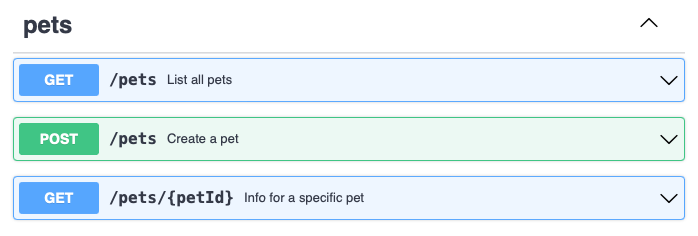
Integrating the Swagger file
We will start from the OpenAPI v3.0 petstore.yaml example which will be saved to our root directory.
functions/
  petGet/
  petPost/
  petsGet/
petstore.yaml
template.yaml-
The first step is to edit our
template.yaml.We first add a Serverless API resource where we can reference our Swagger file named
petstore.yaml:# template.yaml # Inside "Resources:" PetstoreServerlessRestApi: Type: AWS::Serverless::Api Properties: Cors: AllowHeaders: "'*'" AllowMethods: "'*'" AllowOrigin: "'*'" StageName: v1 DefinitionBody: Fn::Transform: Name: AWS::Include Parameters: Location: ./petstore.yamlWe then create a λ resource for every endpoint method, pointing each to a separate folder with its handler:
# template.yaml
# Inside "Resources:"
PetGetFunction:
  Type: AWS::Serverless::Function
  Properties:
    Architectures:
      - arm64
    CodeUri: functions/petGet
    Handler: index.handler
    Runtime: nodejs14.x
And finally we define a IAM Role with a policy to invoke our Lambda functions:
# template.yaml # Inside "Resources:" ApiGatewayRole: Type: AWS::IAM::Role Properties: AssumeRolePolicyDocument: Version: "2012-10-17" Statement: - Effect: Allow Principal: Service: - apigateway.amazonaws.com Action: - "sts:AssumeRole" Policies: - PolicyName: !Sub ${AWS::StackName}-lambda-invoke PolicyDocument: Version: "2012-10-17" Statement: - Effect: Allow Action: - lambda:InvokeFunction Resource: - !GetAtt petGetFunction.Arn - !GetAtt petPutFunction.Arn - !GetAtt petsGetFunction.Arn -
Now we have to edit the Swagger file by adding the API Gateway integrations to all of the endpoints.
The following has to be added to all methods, remember to change
${PetGetFunction.Arn}to the correct λ function.# petstore.yaml # Inside "paths: /pets/{petId}: get:" x-amazon-apigateway-integration: credentials: Fn::GetAtt: ApiGatewayRole.Arn uri: Fn::Sub: arn:aws:apigateway:${AWS::Region}:lambda:path/2015-03-31/functions/${PetGetFunction.Arn}/invocations responses: default: statusCode: "200" passthroughBehavior: "when_no_match" httpMethod: "POST" contentHandling: "CONVERT_TO_TEXT" type: "aws_proxy"The
httpMethidwill always bePOST, this is because the API Gateway will always invoke the Lambda functions with aPOSTrequest. It is not related to the HTTP method exposed to the client.
This way we have created a REST API where all of the endpoints and the schemas can be well defined and documented inside the Swagger file.
Further documentation:
Here are a few links worth reading about the topics of this post:
- OpenAPI Specification [Swagger docs]
- Configuring a REST API using OpenAPI [AWS docs]
- Usign Swagger UI in AWS Serverless stack [dev.to]